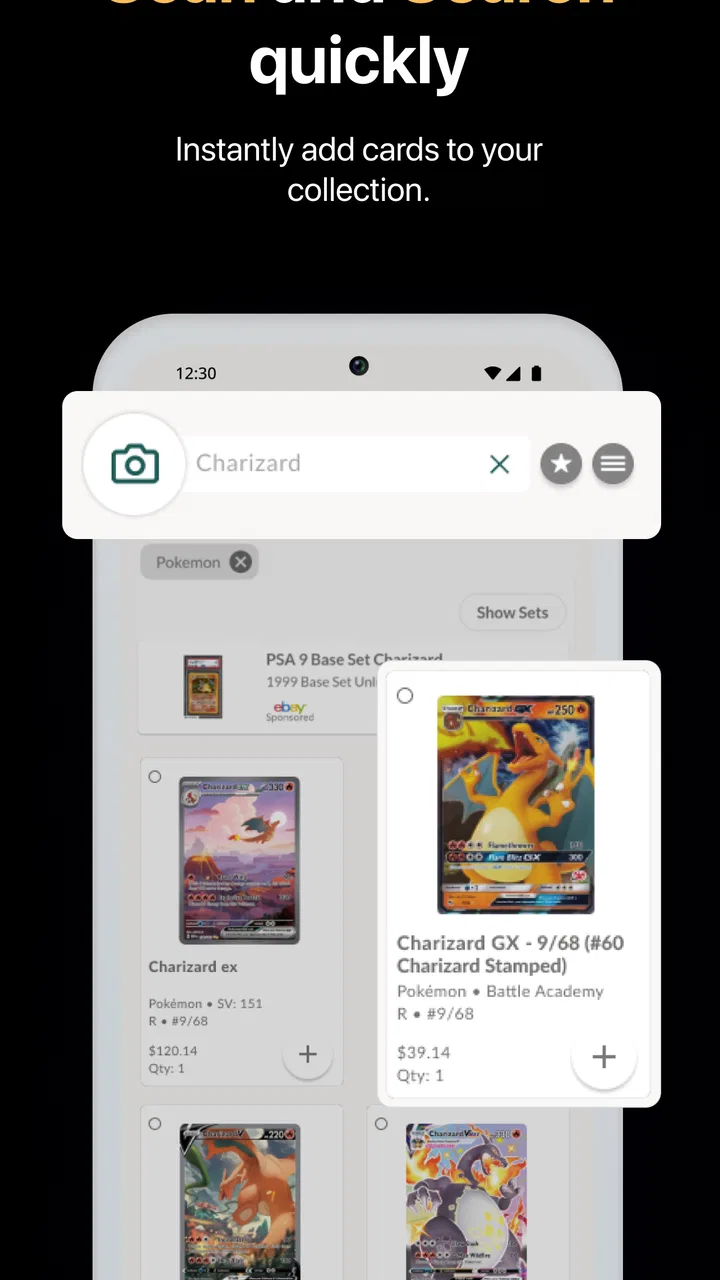
Collectr - TCG Collector App
- 4.8
- Rating
- 1.00M
- Installs
- Free
- Price

 Analysis by App-foxy
I like collection apps that reduce the boring part of the hobby without pretending to replace the hobby itself. Collectr is built around that idea: it helps me organize a Trading Card Game collection and get a clearer view of what the cards may be worth. It is a free tools app from Collectr Inc, available for Everyone, and it feels aimed at collectors who want a practical overview rather than a complicated spreadsheet.
My first impression is that the app makes most sense when I treat it as a working inventory, not as an automatic appraisal machine. The useful result comes from identifying cards carefully, checking the entries, and keeping the collection tidy. When I do that, the app becomes much more valuable than a simple note-taking app. When I rush through identification or expect every unusual card to be recognized perfectly, the experience becomes less smooth.
Where the first setup can become confusing
The main friction appears before the collection is useful: I need to make sure the card I am adding is the exact card I own. Trading cards often have similar names, multiple printings, different languages, special treatments, and condition differences. A fast scan or search can get me close, but “close” is not always good enough when I am trying to understand the value of a collection.
You May Also Like

 Blood Strike: 2.5 Anniversary
Blood Strike’s Loadouts Turn Every Drop Into a Tactical Gamble
A close look at Blood Strike’s custom loadouts: how fast access to signature weapons reshapes its battle royale rhythm, rewards preparation, and narrows the gap between fights.

 Pandora - Music & Podcasts
Pandora’s Music Is Easy to Start, but Harder to Recover
Pandora’s strength is its low-effort path from a seed to a station. Its weak spot is how much confidence it asks you to place in connection, setup, and quiet recovery.

 8 Ball Pool
 Is Built on Rivalries, Rematches, and Routine
A close look at the rivalries, rematches, shared routines, and unanswered safety questions that turn a quick pool match into a persistent mobile community.

 Samsung Music
’s Quiet Strength Is Playing What You Already Own
Its reach comes less from spectacle than from dependable access to a personal library. That simplicity is both the app’s strongest retention engine and its ceiling.

 AccuWeather: Weather Radar
AccuWeather Review: A Quick, Clear Forecast for Everyday Decisions
For everyday plans, the best forecast is the one you can understand quickly. AccuWeather makes rain timing, radar, and local conditions easy to act on, with a few trade-offs.

 Hill Climb Racing
Why Hill Climb Racing Still Turns Crashes Into One More Run
A tiny car, a bumpy hill and one more upgrade: Hill Climb Racing keeps resurfacing because its simple chaos makes every near-miss feel personal.
More From Our News Desk



This is especially important with cards that share artwork or have several versions from the same release. I found it better to slow down and compare the visible details on the physical card with the result shown in the app. Set information, card number, artwork, rarity, and any special finish can all matter. If an entry looks almost right but not completely right, I would rather correct it immediately than build a large collection around questionable matches.
Another point that can catch new users is the difference between a collection total and the amount they might actually receive in a sale. The app can help me understand the estimated value of the cards I have entered, but that figure should be treated as a reference point. Condition, demand, selling fees, shipping, timing, and the buyer’s preference can all change the real outcome. I use the total to compare, plan, and prioritize—not as a guaranteed payout.
The most important habit is verification before quantity. Adding a few accurate cards gives me a more useful starting point than quickly entering hundreds of cards and then having to repair the list later.
What I check before adding a large binder
When I begin with a binder, I do not try to process every page in one long session. I start with a small group from one section and check whether the results are appearing as expected. This gives me a chance to notice a mistaken set, an incorrect version, or a card that needs manual attention before the same error spreads through the rest of the collection.
I also keep physical cards arranged while I work. If I remove cards from several pages and mix them on a desk, it becomes harder to remember where each one came from. Keeping a page order or a simple physical grouping makes later corrections much easier. This is a small workflow change, but it matters when the collection includes duplicates or cards with nearly identical appearances.
For a collection inherited from someone else, I would first separate cards into broad groups rather than entering them randomly. Cards that are damaged, sleeved differently, foreign-language, or clearly special editions deserve extra checking. The point is not to make the process slow; it is to avoid confusing a rough estimate with a carefully identified inventory.
Setup checks that prevent most avoidable problems
Before I blame the app for a missing card or an unexpected value, I check the basics. I make sure I am searching for the right game or card family, that the spelling is sensible, and that I am looking at the complete result rather than accepting the first similar name. Search tools are helpful, but they still depend on the information I provide and the way a card is cataloged.
I also check whether the card itself has a detail that changes its identity. A symbol, number, language, foil treatment, promotional marking, or alternate artwork can separate one entry from another. If the app offers several plausible results, I compare the image and identifying details instead of choosing based only on the card name.
For value checks, I avoid making decisions from a single glance. I look at the card entry, confirm that it matches the physical copy, and then consider whether the condition I am seeing is likely to affect what a buyer would pay. A heavily played card and a clean card may belong to the same entry while having very different practical value. The app helps me organize the information, but it cannot inspect every crease, edge, scratch, or centering issue on my behalf.
The free price makes it easy to begin without committing money immediately. At the same time, in-app purchases ranging from about eight dollars to about sixty dollars per item mean I would review any upgrade screen carefully before confirming a purchase. I would start with the free experience, understand which parts of my workflow genuinely need more, and only then decide whether an optional purchase is worthwhile for my collection.
That approach is particularly sensible for casual collectors. If I only own a small box of cards and check values occasionally, a paid option may not improve my routine enough to justify it. If I manage a large collection regularly, the calculation is different, but I would still judge the purchase by time saved and accuracy gained rather than by the size of the collection total.
How I prepare a phone for a smoother session
I keep the phone steady and the card well lit when using any visual identification workflow. Glare from sleeves can make a card harder to read, and a crowded background can make the physical process more frustrating. I also keep the app updated when possible. The current version is 2.4.4, and using a current version is a sensible first step when an older installation behaves strangely.
The app supports devices running Android 7.0 or later, so compatibility is not limited to only recent Android phones. Still, age and condition of the device can affect how comfortable a long cataloging session feels. If the phone struggles with camera focus, storage, or general responsiveness, I would not assume the collection app is solely responsible for every delay.
I also separate identification from valuation in my expectations. First I want the correct card in the collection. Then I want the value information to help me understand the group. Trying to judge both at once can encourage rushed choices, especially when several versions look alike.
Recovering when a card or collection entry goes wrong
When an entry looks incorrect, I fix the smallest possible problem first. I revisit that card, compare it with the physical copy, and replace or adjust the selection rather than deleting an entire group. This keeps the rest of the collection intact and makes it easier to see whether the issue was one mistaken match or a broader search problem.
If a result does not appear, I try a simpler search. I remove extra wording, search by the most distinctive part of the name, and then inspect the alternatives. I also check for a set or number printed on the card. Searching with too much detail can sometimes be less effective than starting broadly and narrowing the results manually.
For duplicates, I take care not to treat them as separate versions unless the physical cards really differ. A duplicate count is useful because it shows what I own, but duplicate copies should not be confused with unique entries. This matters when I am deciding what to trade, sell, store, or keep in a deck-building box.
If the app appears not to save a change, I avoid repeatedly tapping the same action. I pause, check whether the entry has actually changed, and reopen the relevant collection area if needed. Repeating an action without checking can create confusion or duplicate work. I also make sure the phone has a stable connection when the task appears to depend on loading catalog information, since a weak connection can look like a missing result or a frozen screen.
For a large collection, I use short batches. After finishing a group, I review it before moving on. This creates natural recovery points. If something goes wrong later, I know which small section needs attention instead of wondering whether the whole binder has been affected.
A realistic weekend example
Imagine I have a Saturday afternoon to catalog three binders before trading with a friend. I would begin with one page, not all three binders. I would identify each card, confirm the set and artwork, and look for obvious mismatches. Then I would review the page as a group, paying attention to unusually high or low entries that might indicate a wrong version rather than a surprising discovery.
Next, I would separate cards that need closer inspection: damaged copies, unusual finishes, foreign-language cards, and anything where the search produced several similar options. I would continue with the ordinary cards while keeping those exceptions together. At the end, I would use the collection view to decide which cards deserve a second look before discussing trades.
This workflow is better than using the app as a quick “scan everything and trust the total” tool. It gives me an organized list while preserving judgment for the cards where condition and edition matter most. It also makes the app useful even if I do not plan to sell anything, because I can see what I have and identify gaps in my collection.
When the app is not the cause of the problem
Some disappointing results come from the nature of card collecting rather than from the software. Market values move, and a displayed estimate can become less relevant as interest changes. A card may also be valuable in one condition and ordinary in another. If my physical copy has whitening, dents, scratches, or poor centering, the number associated with a clean example may give me an overly optimistic impression.
Likewise, an app cannot remove the difference between theoretical value and practical liquidity. A card can have an appealing estimate and still take time to sell. The person who wants that exact card, the platform used for the sale, postage, fees, and negotiation all affect the final result. I would use Collectr to prioritize research and organize decisions, then verify important sale details through the marketplace or buyer I intend to use.
Camera and search issues can also originate with the phone. A dirty lens, reflective sleeve, poor lighting, low storage, or an unstable connection can make an identification process feel unreliable. I test with a clean, unsleeved card when possible, improve the lighting, and compare the result with a simple manual search. If manual searching works while the camera does not, the problem may be the capture conditions rather than the catalog itself.
There is also a human limitation: collectors often remember a card’s story better than its exact catalog identity. I may know that a card came from a special event or a particular binder, but that memory does not always tell me which printed version it is. The physical markings remain the best reference. When the app and my memory disagree, I trust the card in front of me and investigate the mismatch.
How it compares with simpler alternatives
A spreadsheet gives me complete control over columns, notes, purchase details, and custom categories. It can be the better choice if I need a highly personal accounting system or want to track every financial detail manually. The downside is that I must build and maintain the structure myself, and a spreadsheet does not naturally provide the same card-focused lookup experience.
Paper lists are fine for a small collection, especially if I only need to remember which cards I own. They are inexpensive and easy to understand, but they become awkward when I want to search, update values, separate duplicates, or compare several binders. Collectr is more useful when the collection changes often and I want the information in one searchable place.
Dedicated marketplace searches can be better for checking the price of one important card before a sale. They show me what sellers are asking or what buyers may be seeing in a particular market context. Collectr is more convenient for surveying a whole collection, while a marketplace is often better for final transaction research. I see them as complementary rather than competing tools.
That distinction helps me avoid asking the app to do everything. It is strongest as a collection organizer and value overview. It is less suitable as my only source for grading decisions, final selling prices, or detailed personal bookkeeping.
Who will get the most from it
I would recommend it to collectors who have outgrown a paper checklist and want a clearer picture of their cards. It is also a good fit for someone returning to the hobby after years away, because entering an old collection can reveal what needs identification and which groups deserve further research. Parents and newer collectors may appreciate having a visual, card-centered way to organize items instead of maintaining a complicated spreadsheet.
It is useful before a move, a trade meeting, or an insurance conversation because an organized inventory is easier to review than several unstructured boxes. I would still keep photographs and purchase records separately when those details matter, but the app can provide a practical central overview.
The app may be less suitable for a collector who wants detailed grading analysis, advanced accounting, or complete control over custom fields. It may also frustrate someone who expects instant accuracy from every scan or who dislikes checking similar card versions manually. For a tiny collection that rarely changes, a simple note may be enough. For a large collection with many near-identical variants, the app is helpful, but only if I am willing to verify entries carefully.
Its broad adoption is reassuring: it has passed one million installs, holds an average rating of 4.8 from around twenty-nine thousand ratings, and has about one thousand six hundred written reviews. Those figures suggest that the basic idea works for many collectors, although popularity does not remove the need to check individual cards or decide whether the workflow suits me.
My practical verdict after using the workflow
Collectr is a useful tool for turning a scattered Trading Card Game collection into something I can actually review. I like it most when I use it in small batches, verify similar versions, and treat the value display as guidance rather than a promise. The free entry point makes experimenting easy, and the Everyone age rating keeps it approachable for a wide range of collectors.
The developer, Collectr Inc, has focused the app on a real problem: knowing what is in a collection and having a clearer sense of its value. That focus is its advantage. It does not need to replace a marketplace, a grading service, or a personal spreadsheet to be worthwhile.
My final recommendation is simple. If you want a searchable inventory and a convenient overview of your cards, I would try it. Start with a small, representative group, confirm the identification process, and create a correction habit from the beginning. If you need precise sale prices, detailed condition analysis, or a fully customized financial ledger, pair it with another method instead of relying on it alone.
For me, the app earns its place when it reduces collection chaos without encouraging false certainty. Used carefully, it turns cataloging from a chore into a manageable routine; used carelessly, it can make an inaccurate collection look impressively organized.
FAQs for Collectr - TCG Collector App
01What is Collectr - TCG Collector App used for?
Collectr - TCG Collector App is designed for trading card game enthusiasts who want to manage and organize their card collections efficiently. It offers features like card scanning, inventory management, and valuation. Users can track their collection's worth, create wish lists, and stay updated with the latest market trends and prices.
02Is Collectr - TCG Collector App free to use?
Collectr offers a free version with basic features suitable for casual users. However, for advanced functionalities such as detailed market insights, premium scanning options, and enhanced customization, there may be in-app purchases or subscription plans available. Details on pricing can be found within the app store listing.
03How accurate is the card scanning feature in Collectr?
The card scanning feature in Collectr uses advanced image recognition technology to identify cards quickly and accurately. While it is generally reliable, lighting conditions and card condition can affect accuracy. Users are encouraged to manually verify scanned cards to ensure their collection's data is precise and up-to-date.
04Can I sync my collection across multiple devices with Collectr?
Yes, Collectr allows users to sync their collection across multiple devices. This feature ensures that your data is accessible and updated in real-time, whether you're using a smartphone, tablet, or other compatible devices. Users need to create an account to enable cloud synchronization.
05Does Collectr support all trading card games?
Collectr supports a wide range of popular trading card games, including Magic: The Gathering, Pokémon, and Yu-Gi-Oh!, among others. The app regularly updates its database to include new releases and expansions. Users can check the app's support section to see a complete list of compatible games.
Pros
- Intuitive user interface for easy navigation.
- Comprehensive database of TCG cards.
- Regular updates with new card releases.
- Syncs across multiple devices seamlessly.
- In-app community for trading and tips.
Cons
- Premium features require subscription.
- Occasional slow loading times.
- Limited offline functionality.
- Some ads in the free version.
- User-reported bugs in card scanning.

Collectr - TCG Collector App
Gallery